
Managing your WordPress website
Changing the website's navigation menu
Add pages to the menu, change their order, rename them, then save.
7 steps1 minUpdated 13 November 2026
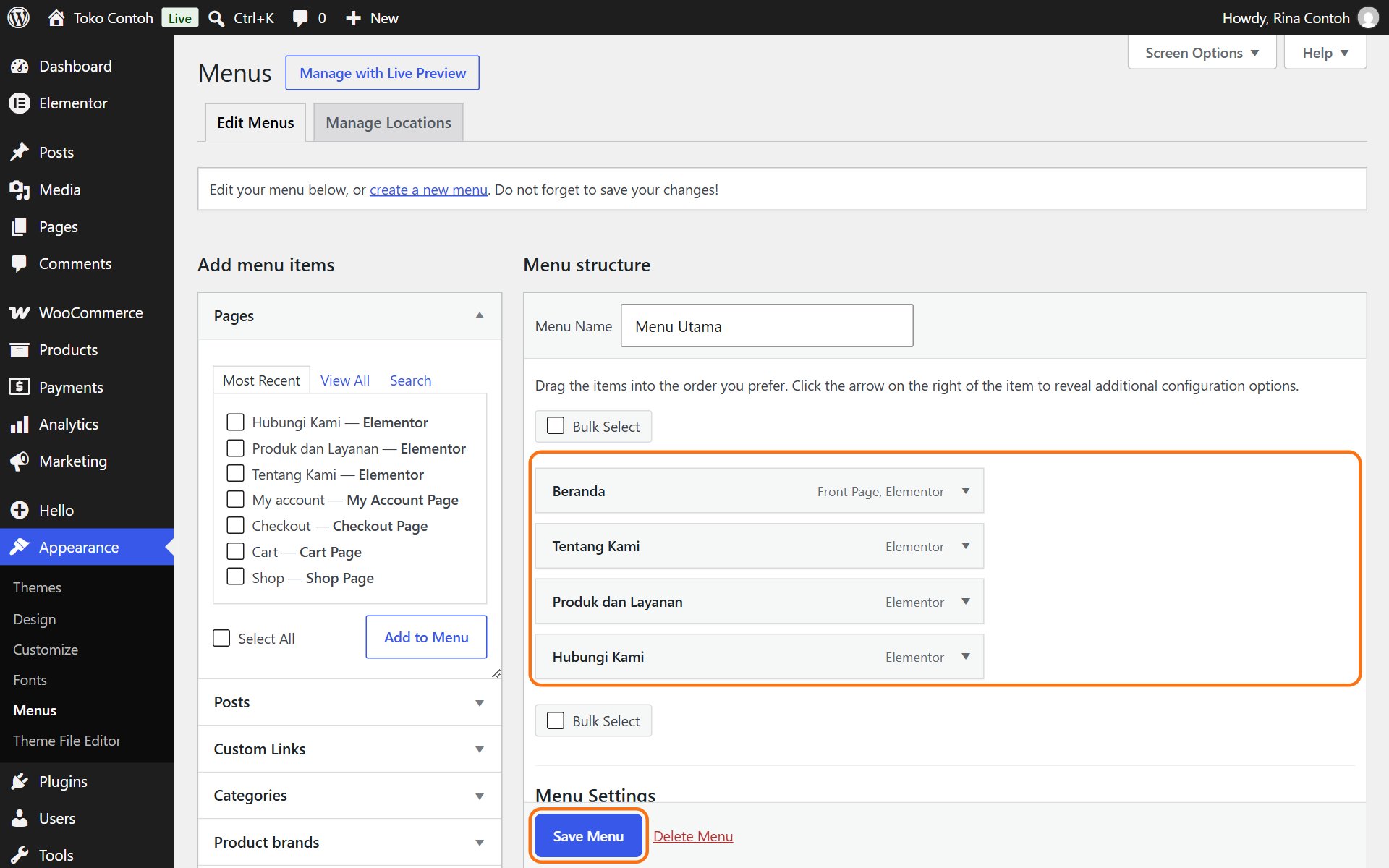
- Open Appearance → Menus. The menu's items show under Menu structure.
- Change the order by dragging items up or down. Drag one slightly to the right to make it a submenu.
- Click the arrow on the right of an item to change its Navigation Label (the name shown) or to click Remove.
- Click Save Menu.
Adding a page to the menu
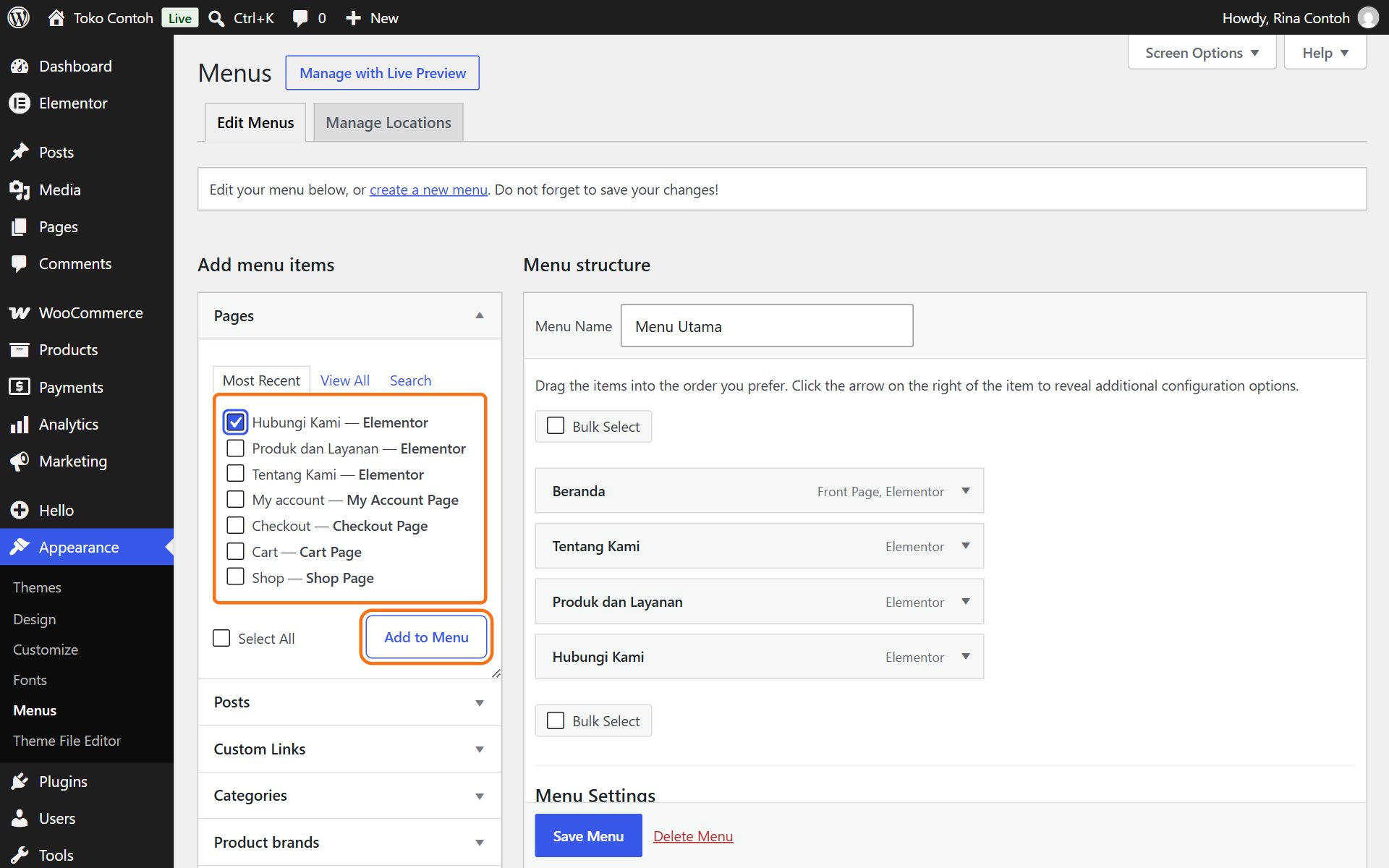
- In the Pages box on the left, tick the pages you want to add. New pages are on the Most Recent or View All tab.
- Click Add to Menu. The new item goes to the bottom; drag it where you want it.
- Click Save Menu.
Want to link to another site, such as a marketplace or WhatsApp? Use the Custom Links box: fill in the address and text, then Add to Menu.
If the menu on your website does not change after saving, it may be built right into the Elementor header. Contact us and we will help change it.
Was this article helpful?