
Managing your WordPress website
Writing and publishing news or an article
Write a news post, add a featured image and a category, then publish or schedule it.
5 steps1 minUpdated 13 November 2026
News, articles and blog posts are written under Posts with WordPress's own editor, without Elementor.
- Open Posts and click Add Post.
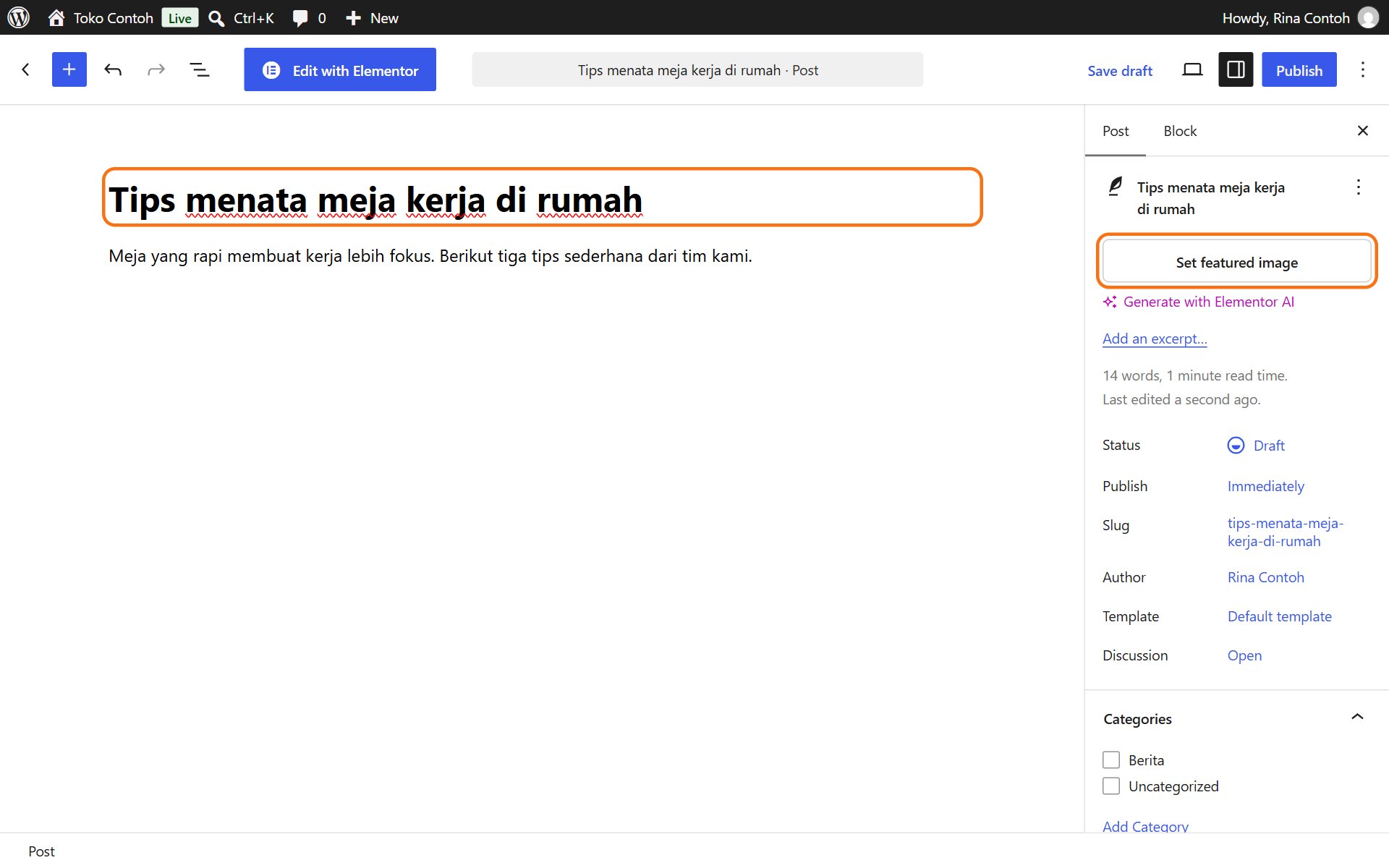
- Type the title at the top, then write the content below it. Press Enter for a new paragraph. Click + to add a picture, a subheading or a list.
- In the right panel, on the Post tab, click Set featured image and choose a photo. It shows in the news list and when the post is shared on social media.
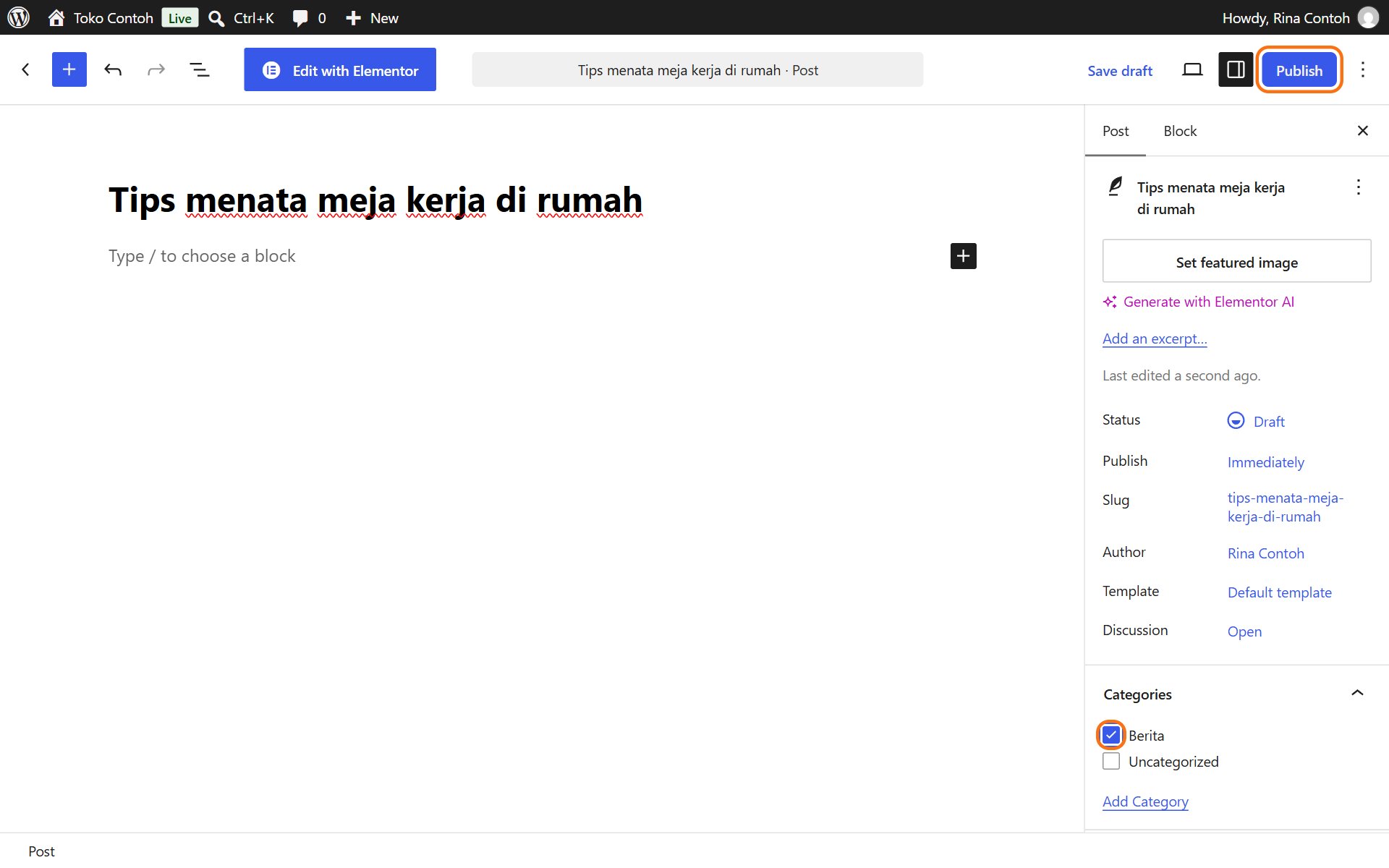
- Under Categories, tick the right category, for example News.
- Click Publish at the top right, then Publish once more to confirm.
Saving first or scheduling
- Save draft saves without publishing. Continue a draft later from Posts.
- To publish at a set time, click Immediately next to Publish in the right panel, choose the date and time, then click Schedule.
To change a published post, open Posts, click its title, make the change, then click Save.
Was this article helpful?