
Managing your WordPress website
Creating a new page
Create a new page, give it a title, then build its content with Elementor.
4 steps1 minUpdated 13 November 2026
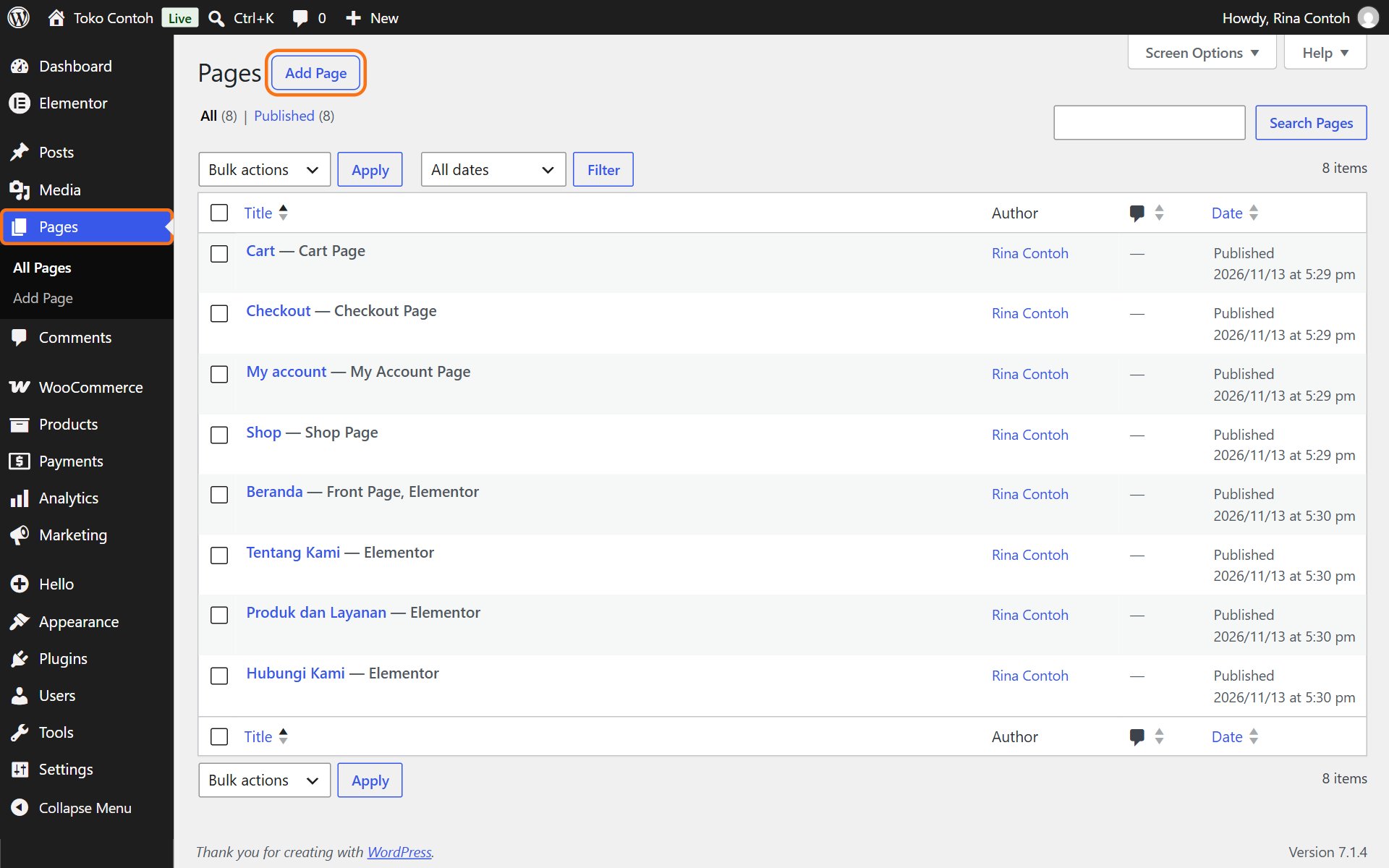
- In the dashboard, open Pages and click Add Page.
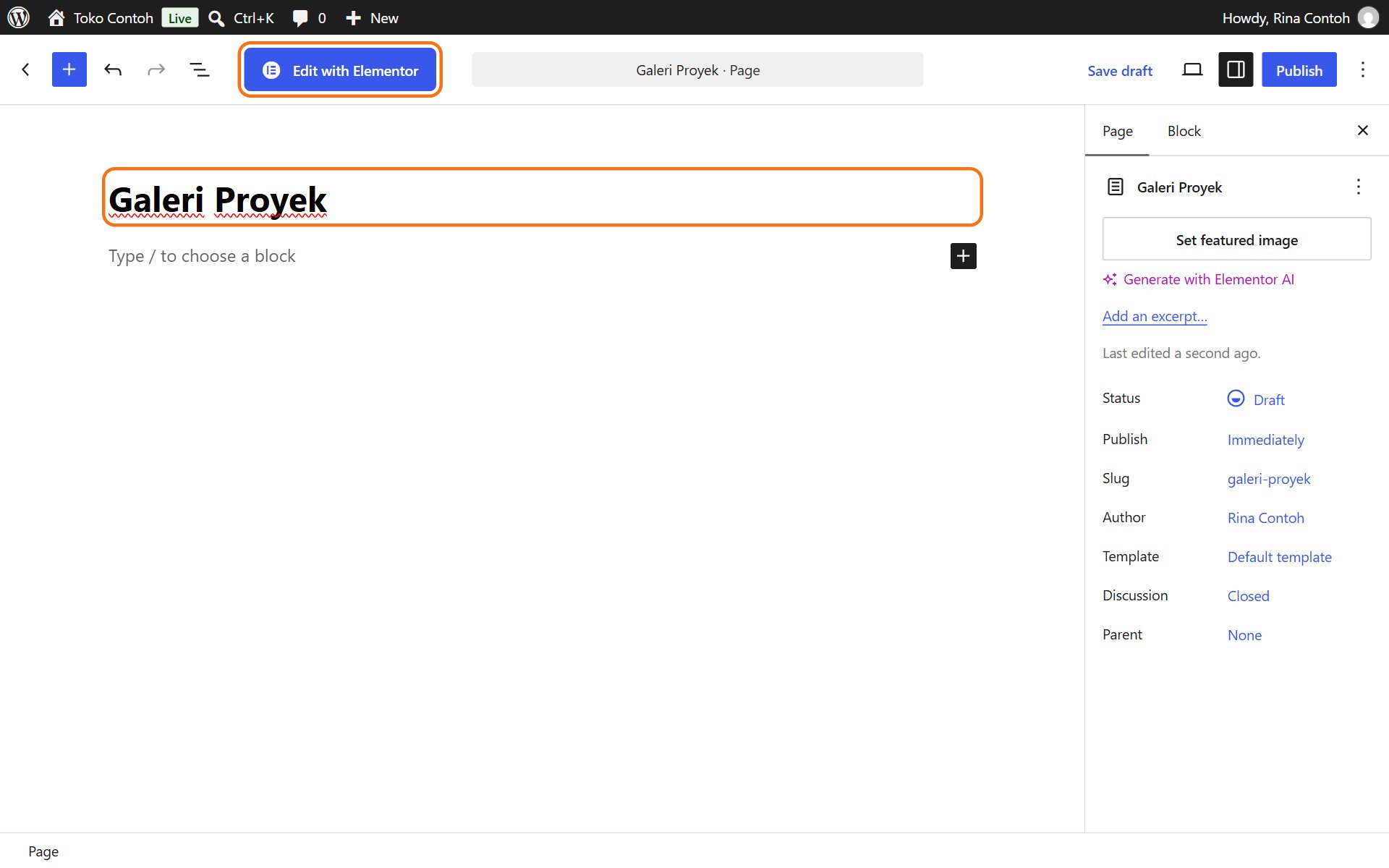
- Type the page's title, for example "Project gallery". The title also becomes the page's address.
- Click Edit with Elementor at the top.
- Build the content with elements from the left panel (see Adding parts of a page), then click Publish.
Tip: to match the design of your other pages, ask us to prepare a page template, or open a similar page and copy its parts (right-click → Copy, then right-click on the new page → Paste).
A new page does not appear in the menu by itself. Add it with Changing the navigation menu.
Was this article helpful?