
Managing your WordPress website
Creating WordPress accounts for your staff
Give each staff member their own account with just the role they need, rather than sharing one.
3 steps1 minUpdated 13 November 2026
Everyone should have their own account. That way you know who changed what, and access can be removed when someone leaves.
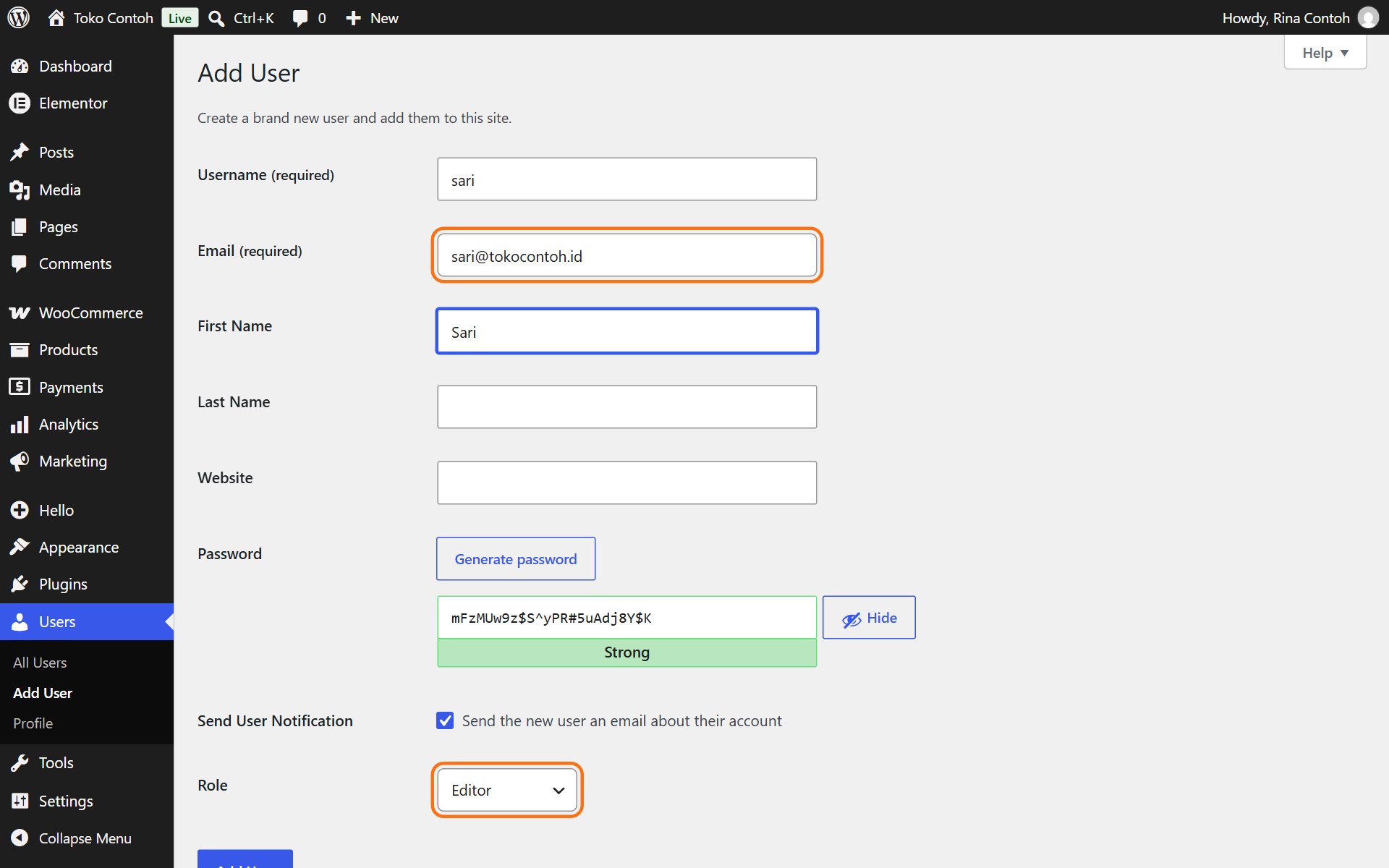
- Open Users and click Add User.
- Fill in Username, Email and name. Leave Send User Notification ticked so the person gets an email to set their own password.
- Choose a Role (see below), then click Add New User.
Recommended roles
- Editor: changes every page, post and media file. Right for staff who look after the website's content.
- Author: only writes and publishes their own posts.
- Shop Manager (online shops): looks after products and orders.
- Administrator: full access, including plugins and settings. Give it only when truly needed.
When someone leaves, open Users, point at their name and click Delete. WordPress asks who gets their content; choose your own account so nothing is lost.
Was this article helpful?