
Managing your WordPress website
The Media Library and recommended picture sizes
Upload photos to the Media Library, describe them, and use sizes that keep the website fast.
2 steps1 minUpdated 13 November 2026
Media holds every photo, logo and file of the website. A photo uploaded here can be used on any page, post or product.
- Open Media and click Add Media File, then choose or drag photos from your computer.
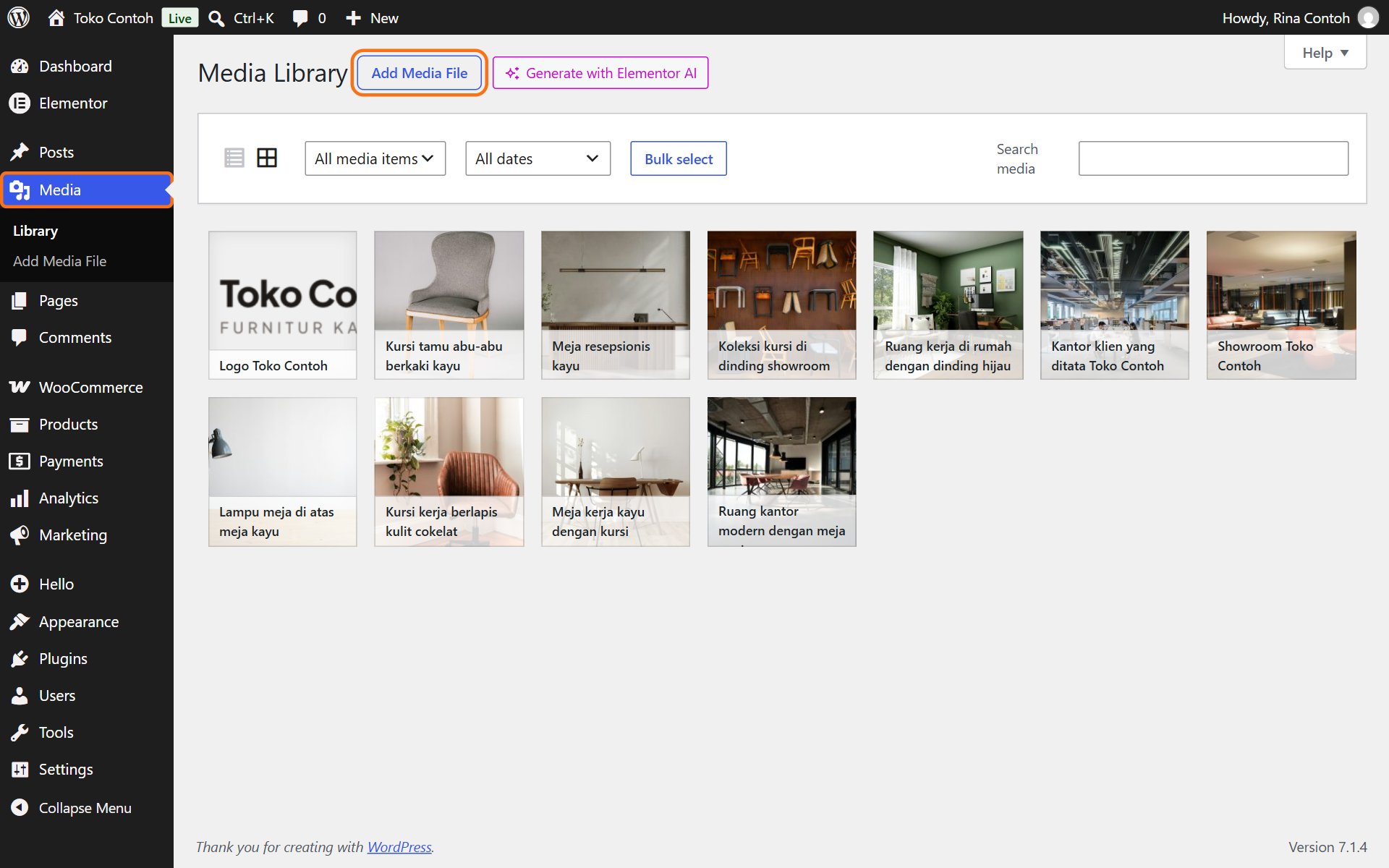
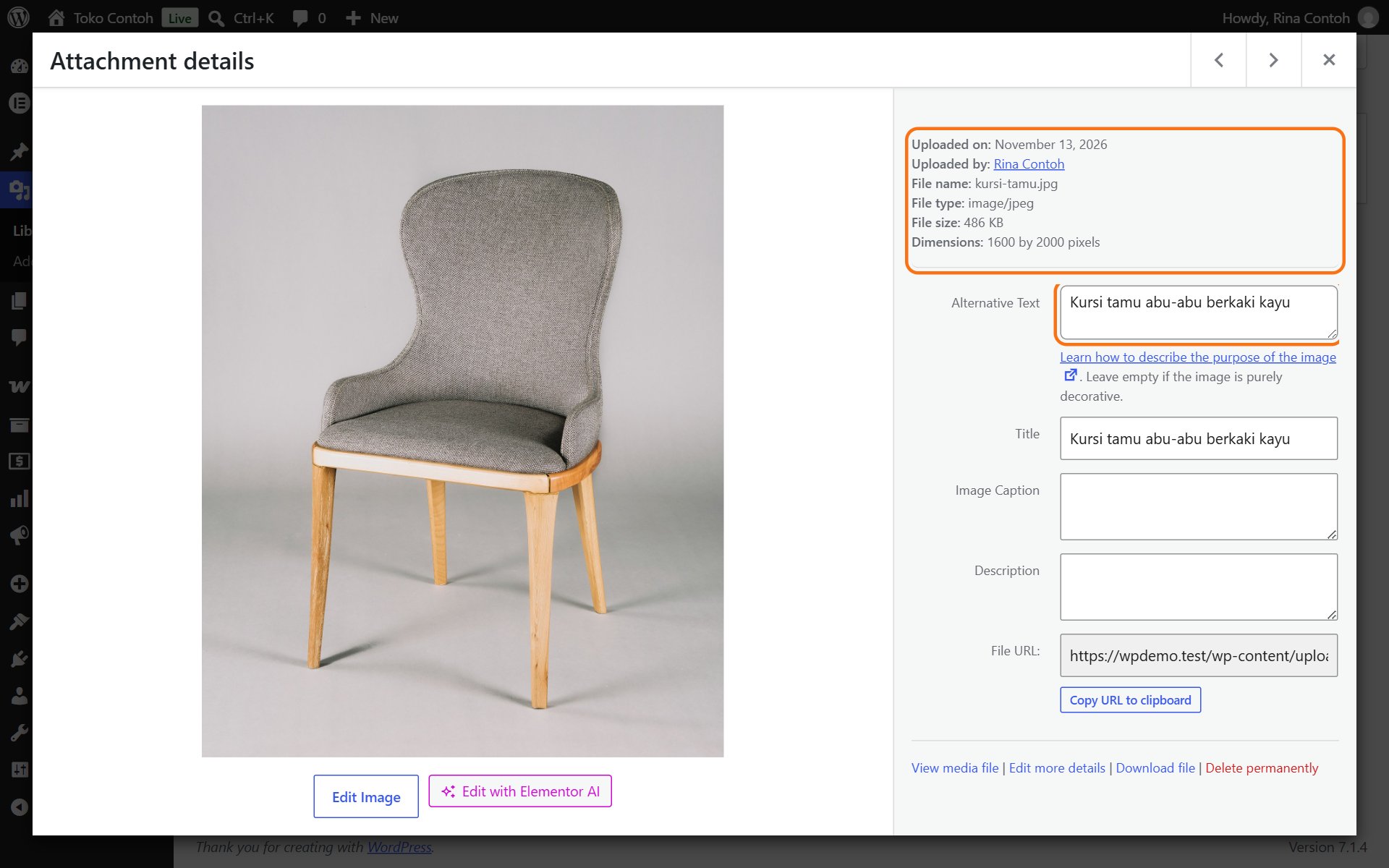
- Click a photo to see its details. Fill in Alternative Text with a short description of the photo. Changes save by themselves.
Recommended sizes
- Wide photos (backgrounds or banners): 1920 pixels wide.
- Photos inside a page or post: 1200 pixels wide.
- Product photos: square, 1000 × 1000 pixels, on the same background for every product.
- Logo: PNG with a transparent background.
- JPG or WebP, ideally under 500 KB per photo. Photos straight from a phone or camera are usually too large: shrink them first with an app such as Squoosh or TinyPNG.
Give files a clear name before uploading, for example teak-office-desk.jpg rather than IMG_2041.jpg. It helps you find them again and helps Google.
Deleting a photo from the Media Library also removes it from every page that uses it. If in doubt, leave it.
Was this article helpful?