
Managing your WordPress website
Getting to know the WordPress dashboard
Which menus you use day to day, which ones to leave alone, and how to view your website.
1 minUpdated 13 November 2026
After signing in you see the Dashboard: a menu on the left, an overview in the middle and a black bar at the top.
The menus you use
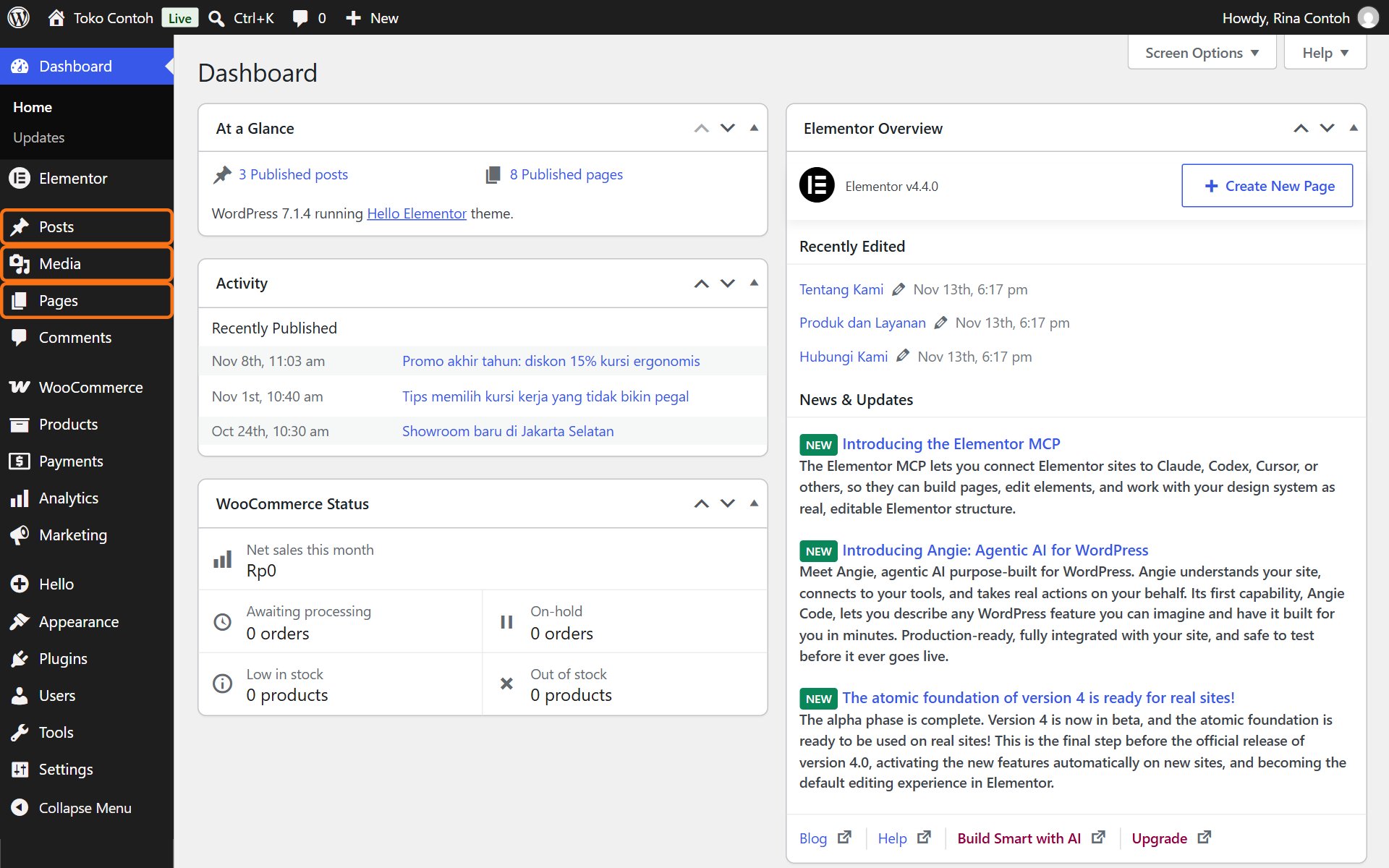
- Pages: fixed pages such as Home, About us and Contact us. Changed with Elementor.
- Posts: news, articles or a blog.
- Media: every photo, logo and file ever uploaded.
- Products (online shops only): the list of products, prices and stock.
- Appearance → Menus: the navigation menu at the top of the website.
- Users: accounts for you and your staff.
Menus to leave alone
Plugins, Appearance → Themes, Tools and Settings control how the website works. Changes there can break the website or take it offline, so contact us first. See also Safe rules for managing your website.
The dashboard sometimes shows notices or offers for paid versions of plugins. You may close them with the ×; you do not need to buy anything.
Viewing your website
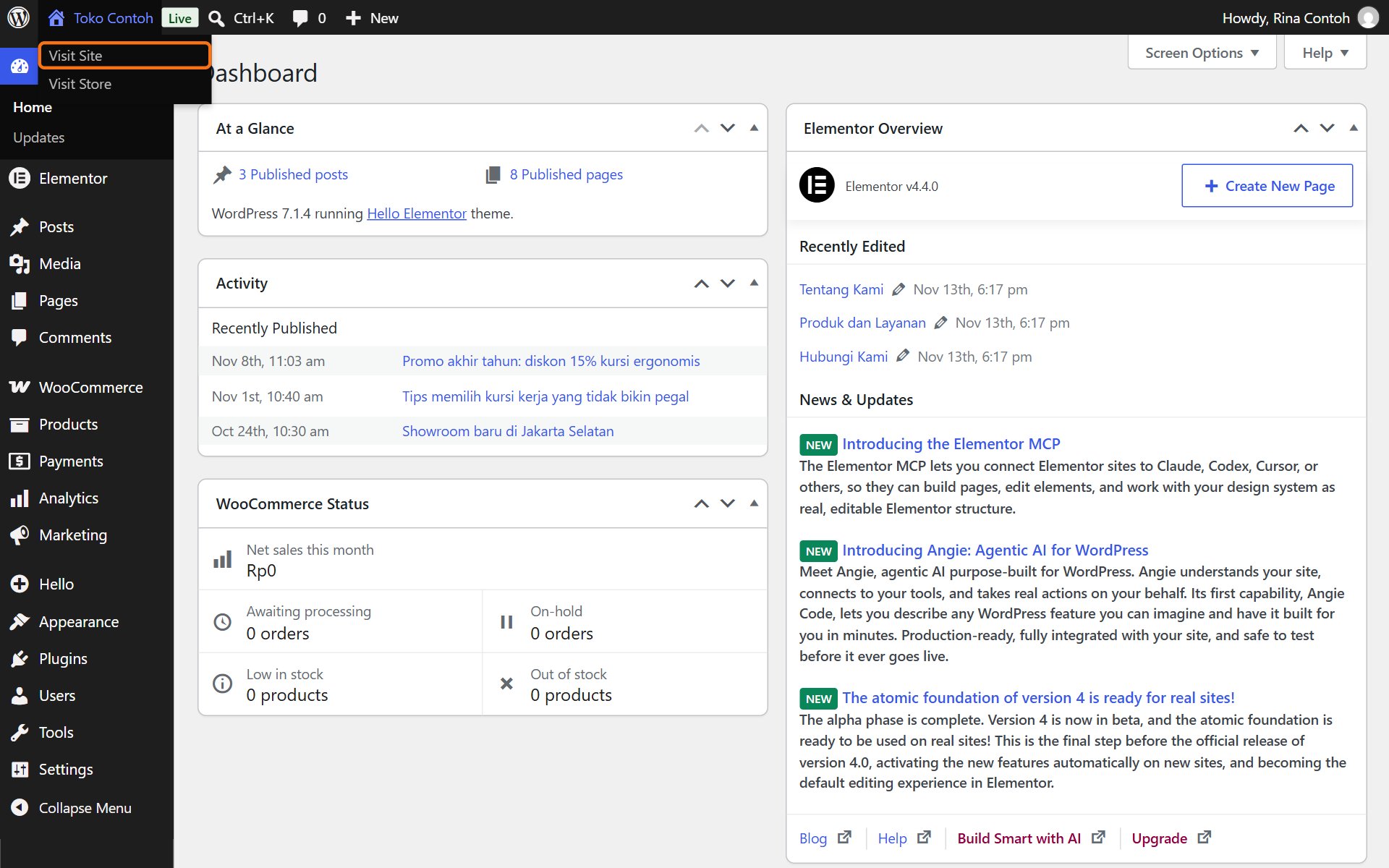
Point at the website's name in the top bar, then click Visit Site. The website opens the way visitors see it.
Was this article helpful?