
Websites and hosting
Your website does not open
What we do when your website is down, and what you can check yourself.
5 steps1 minUpdated 12 November 2026
We check your website every few minutes. When it stops answering, our team is alerted straight away. The portal's Home page shows … is not responding under Needs your attention, and the website's status turns to Down.
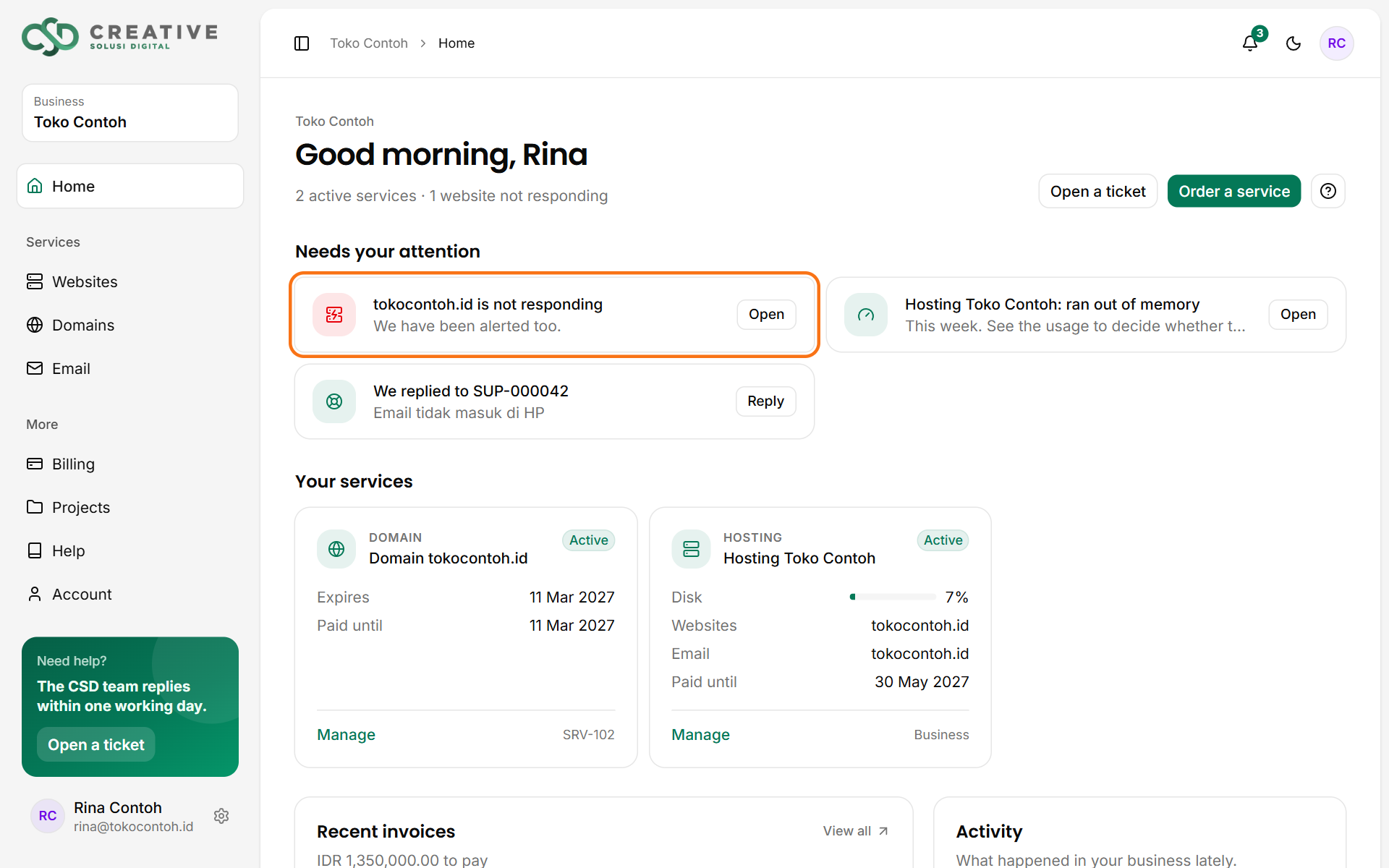
If it is still down after about 15 minutes, you get a notification too, and another one when it is back up.
What you can check
- Bills and domain: a service suspended for an overdue invoice, or an expired domain, takes the website offline. Both show under Needs your attention.
- Recent changes: just updated a plugin, changed the theme or edited a file? Restore the backup from before that change on the Backups tab.
- The error log: the Logs tab → PHP errors usually names the plugin or file at fault.
- Usage: if the Hosting tab shows Ran out of memory or a full disk, the website can fail when it is busy.
- From another network: try opening it on a phone with mobile data. If it opens there, the problem may be your own network or your device's DNS.
Still not opening? Open a support ticket with when it stopped working and any error message you see.
Was this article helpful?