
Getting started
How to contact support
Open a support ticket in the portal so your request is recorded and you can follow it.
4 steps1 minUpdated 16 October 2026
- Sign in to the customer portal at https://panel.creativesolutiondigital.co.id/customer.
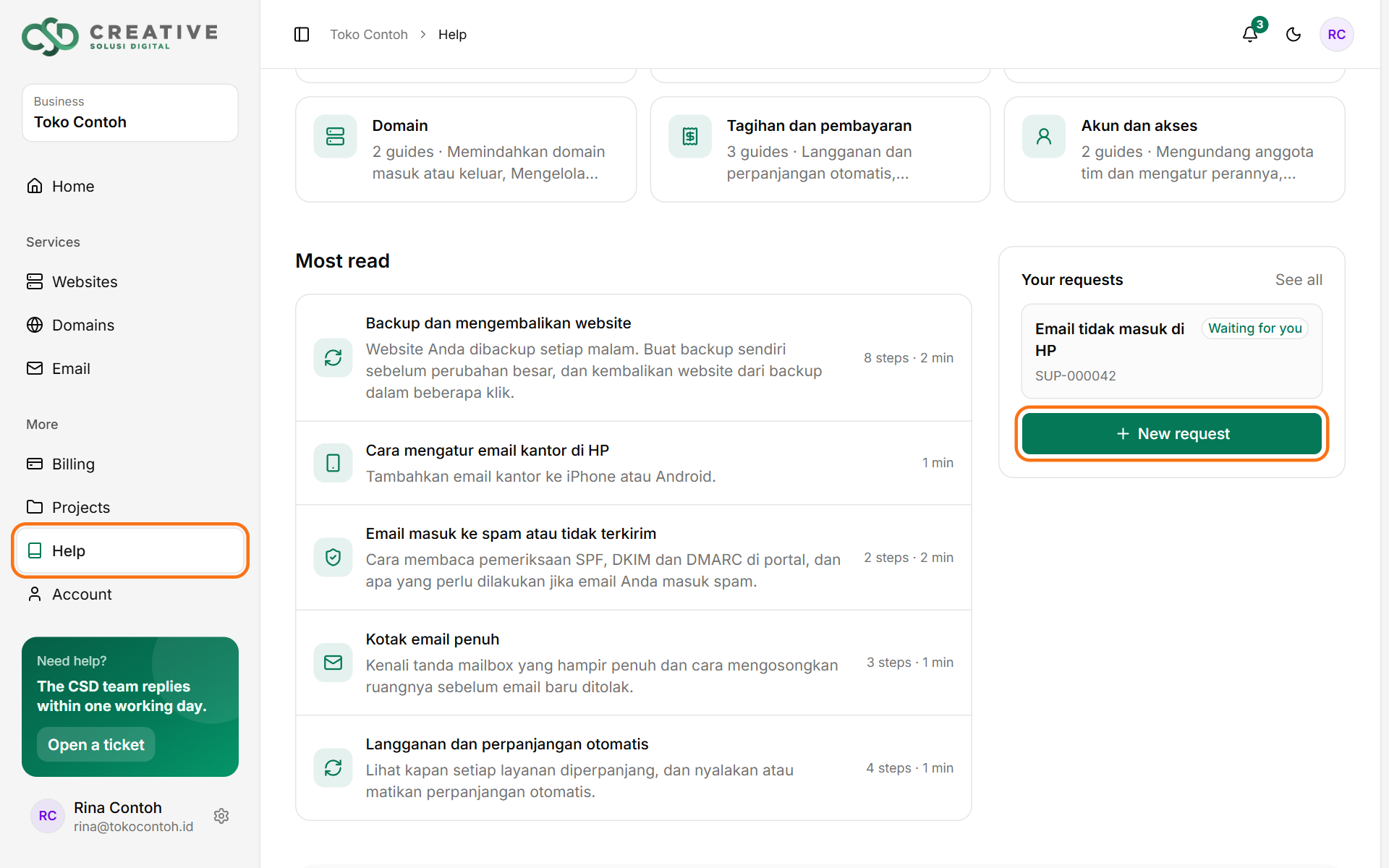
- Open Help, then click New request in the Your requests box.
- Write a short subject, choose a topic and describe the problem: what happens, on which page and since when. Attach a screenshot if you have one.
- Click Send request. Our reply appears in the ticket and is also sent to your email.
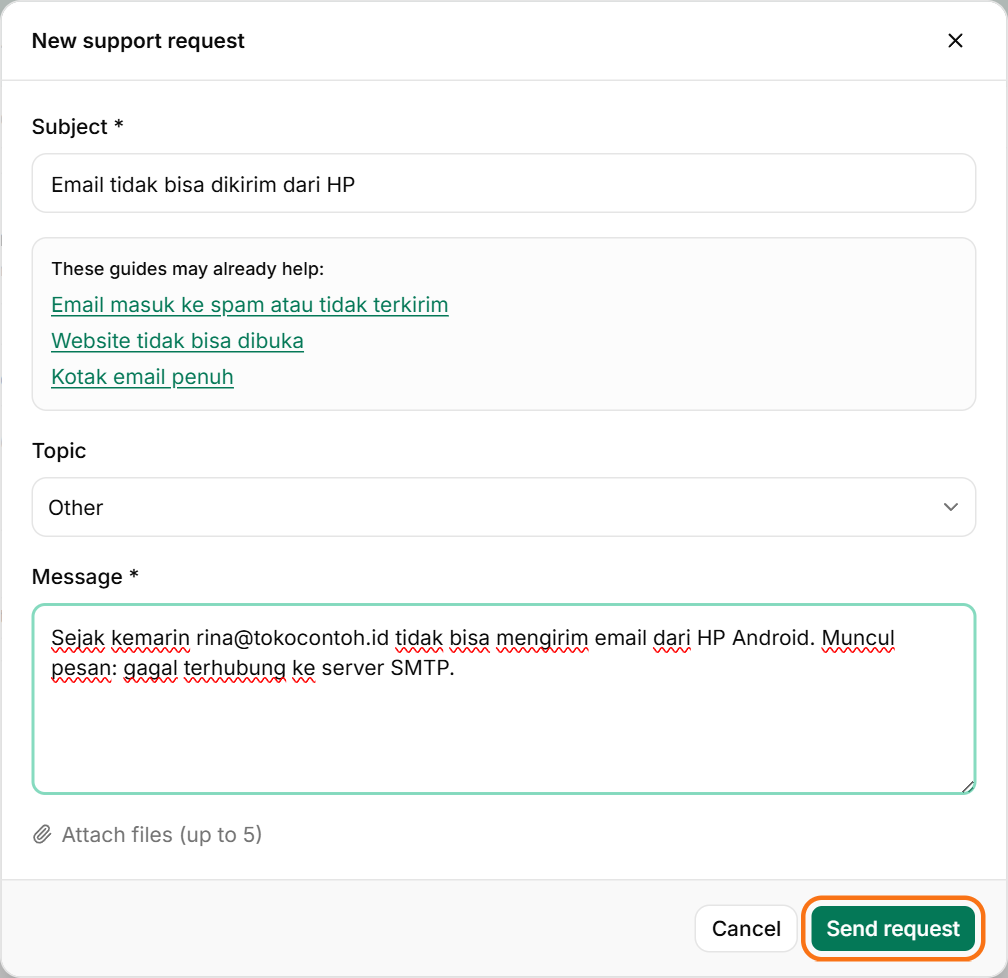
While you type the subject, the portal shows help articles that may already answer your question.
No portal access yet? Email us at hello@creativesolutiondigital.co.id.
Was this article helpful?